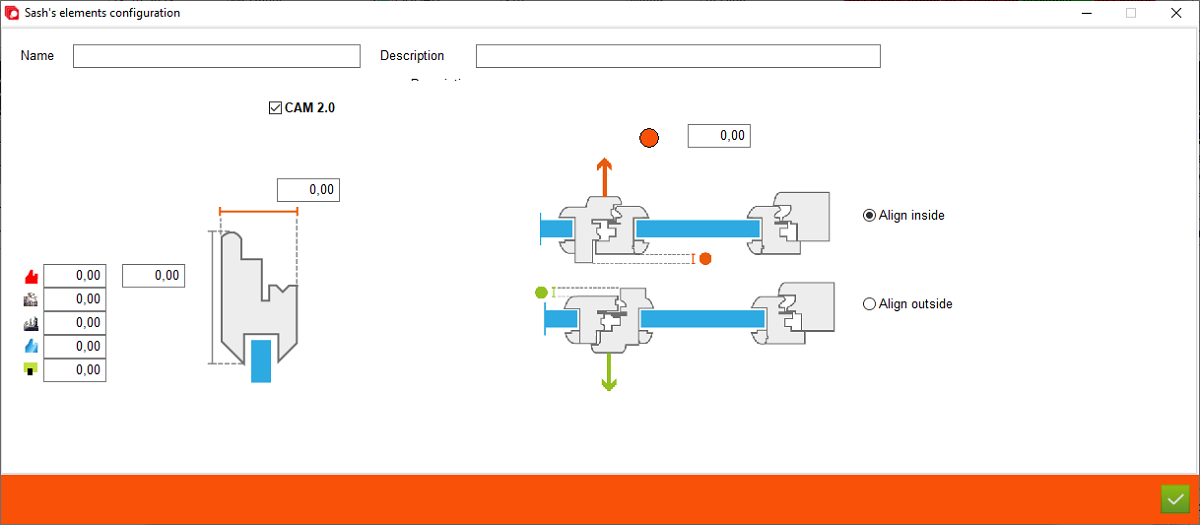
1. Name - Name of sash element configuration
2. Description - Description of sash element configuration
3. CAM 2.0 - Check that if configuration must be used on CAM 2.0
4. Thickness - Enter the correct element thickness
2. Description - Description of sash element configuration
3. CAM 2.0 - Check that if configuration must be used on CAM 2.0
4. Thickness - Enter the correct element thickness
5. Section - Enter the correct element section for all sides
6. Section for bottom - Enter the correct element thickness for the bottom sash element depending on the threshold type
7. Offset Z - This value is used when one of the sash elements has a different thickness
8. Side - Select which side to base it on
6. Section for bottom - Enter the correct element thickness for the bottom sash element depending on the threshold type
7. Offset Z - This value is used when one of the sash elements has a different thickness
8. Side - Select which side to base it on
This is the place in the program where the user defines the section and thickness of element