


1. Name - A place in program where user set the name of configuration
2. Description - A place in program where user set the description of configuration
3. Overturn - A place to choose overturned profile like a 90 degrees or 90+180 degrees
4. L0 - Choose profile on L0 side using for sections
2. Description - A place in program where user set the description of configuration
3. Overturn - A place to choose overturned profile like a 90 degrees or 90+180 degrees
4. L0 - Choose profile on L0 side using for sections
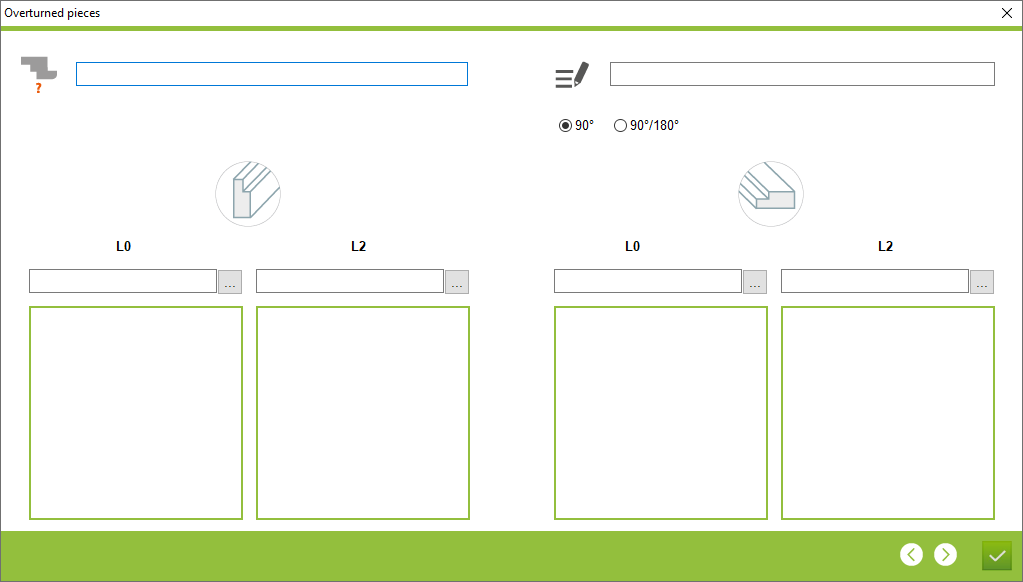


5. L2 - Choose profile on L2 side using for sections
6. L0 - Choose profile on L0 side using for profile logics
7. L2 - choose profile on L2 side using for profile logics
6. L0 - Choose profile on L0 side using for profile logics
7. L2 - choose profile on L2 side using for profile logics
This is the place in the program where the user can create and edit a overturned profile configuration


