


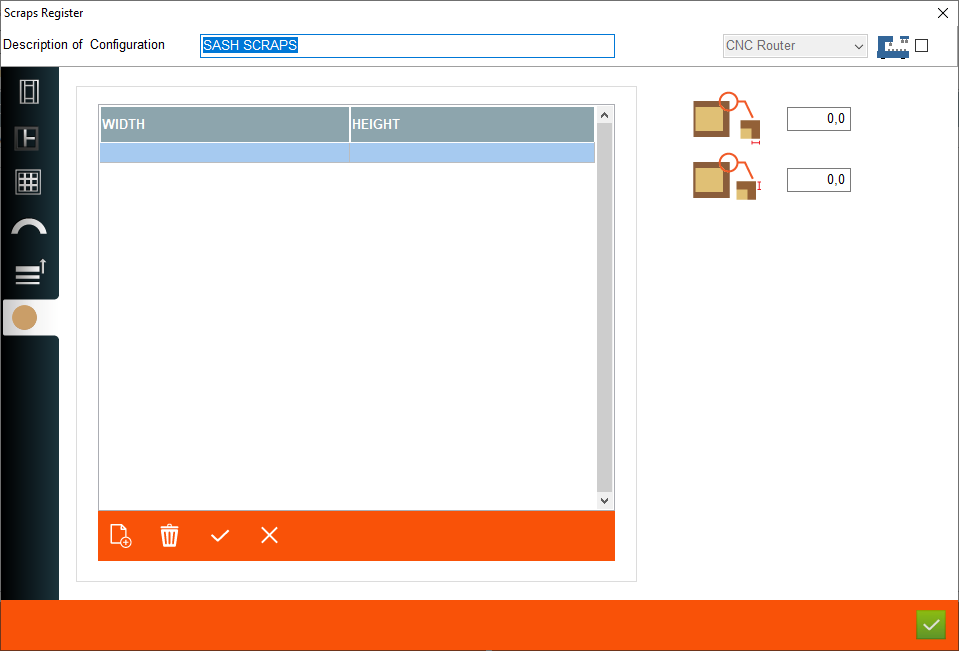


1. Description of configuration - This is where user enter the name of the configuration
2. Machine phase - This is a place where user choose the machine phase for using scraps configuration
3. Scraps for external elements - This is a place where user set scraps for external elements
4. Scraps for central elements - This is a place where user set scraps for central elements
5. Scraps for woodgrid - This is a place where user set scraps for woodgrid
2. Machine phase - This is a place where user choose the machine phase for using scraps configuration
3. Scraps for external elements - This is a place where user set scraps for external elements
4. Scraps for central elements - This is a place where user set scraps for central elements
5. Scraps for woodgrid - This is a place where user set scraps for woodgrid
6. Scraps for Arch elements - This is a place where user set scraps for arch elements
7. Scraps configuration for other elements - This is a place where user set scraps for other elements
8. Scraps for sills - This is a place where user set scraps for sills
9. Width and height filter - This is a place where user can set diffrent configuration of scraps for sill depending on width and hieght
10. Scraps for width - This is a place where user set scraps for width of sillar
11. Scraps for height - This is a place where user set scraps for height of sillar
7. Scraps configuration for other elements - This is a place where user set scraps for other elements
8. Scraps for sills - This is a place where user set scraps for sills
9. Width and height filter - This is a place where user can set diffrent configuration of scraps for sill depending on width and hieght
10. Scraps for width - This is a place where user set scraps for width of sillar
11. Scraps for height - This is a place where user set scraps for height of sillar
This is the place in the program where the user can add or edit scraps configuration for sillar


