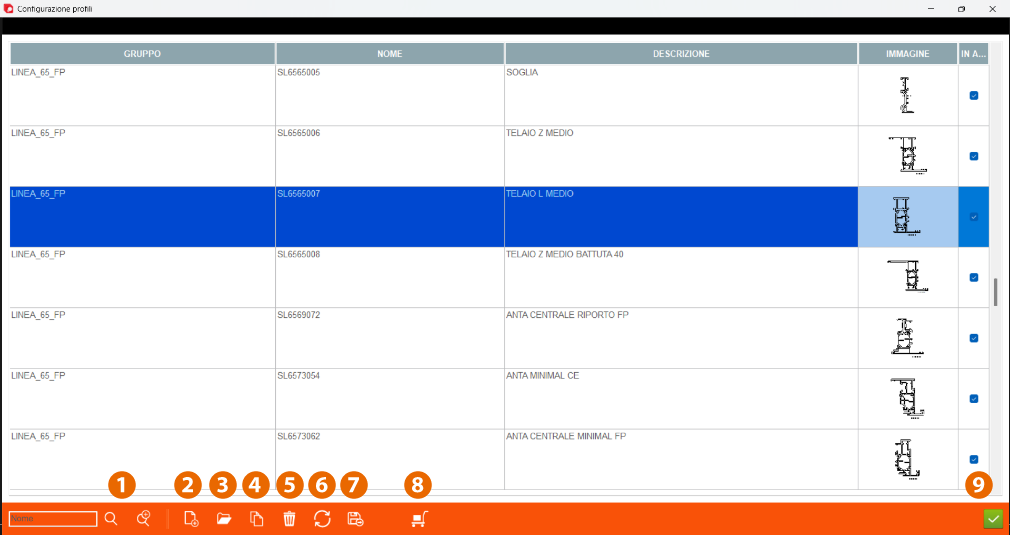


1. Profile - Information about profile
2. Open logic - this button is used to open the profile logic for this profile.
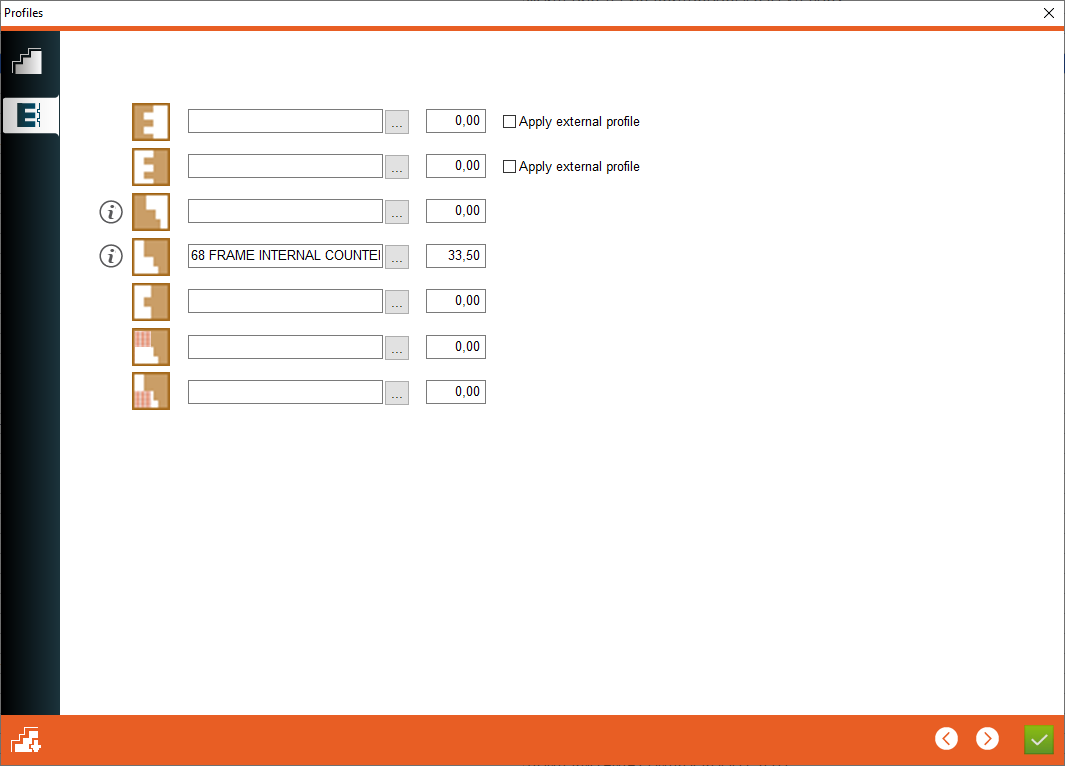
3. Female open tenon - Choose the counter profile for female open tenon
4. Male open tenon - Choose the counter profile for male open tenon
5. Recaiving counter profile - Choose the receiving counter profile like on the picture at the click of a button " i "
6. Recaiving counter profile - Choose the receiving counter profile like on the picture at the click of a button " i "
2. Open logic - this button is used to open the profile logic for this profile.
3. Female open tenon - Choose the counter profile for female open tenon
4. Male open tenon - Choose the counter profile for male open tenon
5. Recaiving counter profile - Choose the receiving counter profile like on the picture at the click of a button " i "
6. Recaiving counter profile - Choose the receiving counter profile like on the picture at the click of a button " i "


7. Counter profile for closed tenon - Choose the receiving counter profile for the closed tenon
8. Counter profile for wood grid over glass - Choose the receiving counter profile for wood grid over glass
9. Counter profile for wood grid under glass - Choose the receiving counter profile for wood grid under glass
10. Depth - Depth of overlap for counter profiling
11. Apply external profile - Check if external profile must be applied on open tenon
8. Counter profile for wood grid over glass - Choose the receiving counter profile for wood grid over glass
9. Counter profile for wood grid under glass - Choose the receiving counter profile for wood grid under glass
10. Depth - Depth of overlap for counter profiling
11. Apply external profile - Check if external profile must be applied on open tenon
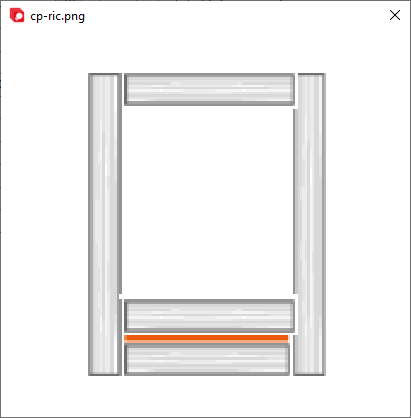
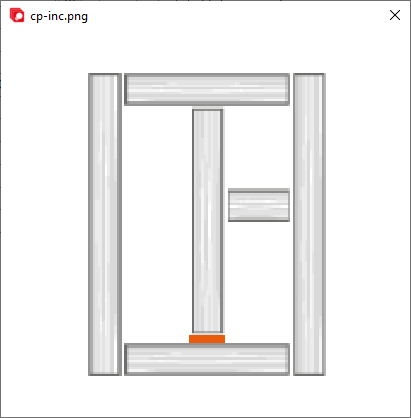
This is the place in the program where the user defines the overlap values of the counterprofile