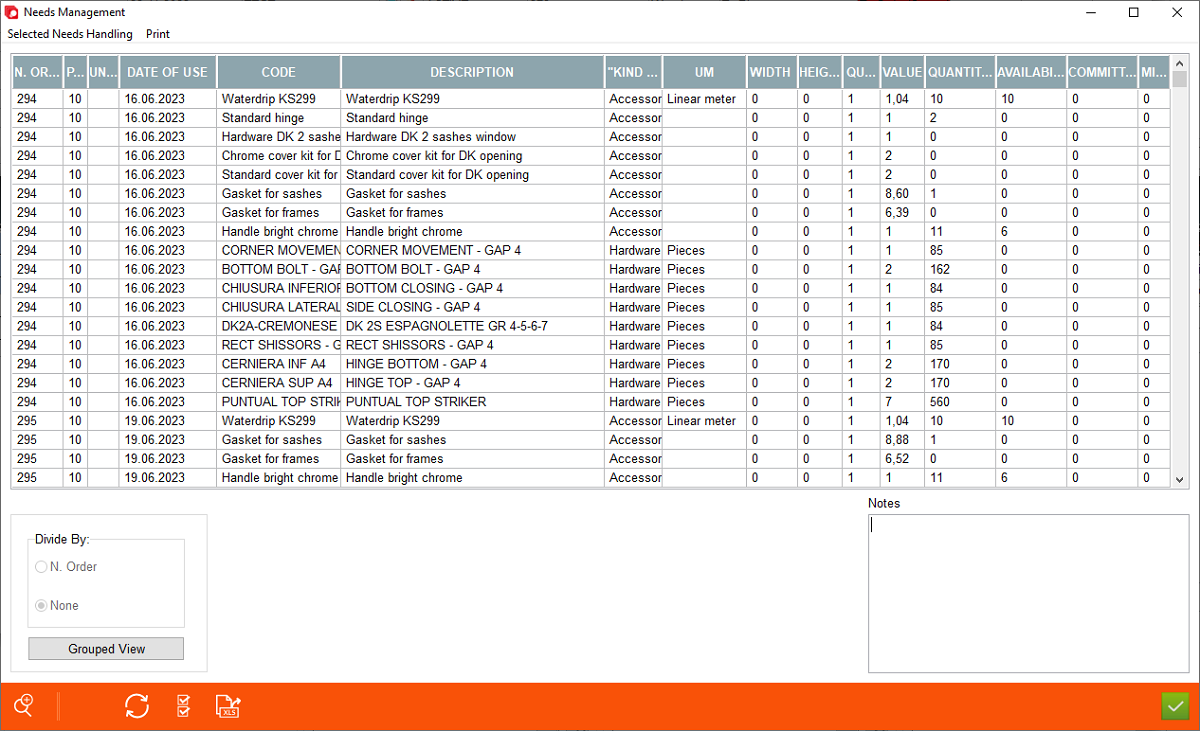



In this screen Archimede shows all generated materials needs for all production orders. The only difference between "Selected Order Needs" and "Needs Management" screens is, that list of needs is not pre-filtered by specific production order number. In "Needs Management" Archimede User can view needs that are generated for all production orders. user can print list of materials needed for order, handle needs (in terms of producing purchase order to supplier), book materials from the store (if available), make manual withdraw, etc.





1. Selected Needs Handling - sub-menu for making purchase offers, purchase orders, binding needs for production orer, making withdraws of materials from the store.
2. Print - generate print needs for selected order, considering applied filters
3. Pos. - means number of position for which need is generated
4. Under Position - is used to establish structures for composite windows
5. Need Delivery Date - shows date thats expected for receving delivey for ordered need
6. Code - code of need (material) from register of materials
7. Description - description of need (material) from register of materials
8. Kind of - shows to which group of materials need is assigned
9. UM - it is unit meassure for need
10. Width, Height - width & height for need e.g. glass, sillars
.
2. Print - generate print needs for selected order, considering applied filters
3. Pos. - means number of position for which need is generated
4. Under Position - is used to establish structures for composite windows
5. Need Delivery Date - shows date thats expected for receving delivey for ordered need
6. Code - code of need (material) from register of materials
7. Description - description of need (material) from register of materials
8. Kind of - shows to which group of materials need is assigned
9. UM - it is unit meassure for need
10. Width, Height - width & height for need e.g. glass, sillars
.
11. Quantity - quantity of needed material
12. Value - shows value of needed material
13. Quantity in the store - shows quantity of material in the store
14. Availibility - shows the avalability of the needs in the store. This is quantity of material that is available for binding (making reservation) for another production order
15. Committed - shows quantity of material that is committed (reserved) for specific production order and position
16. Minimum Stock - shows minimum stock level that must be always kept in the store. This is considered as emergency stock, and will never be considered for use by Archimede.
17. Divide by: this functionality allows to view materials by grouping them into one row (or in case of accessories considering grouping method selected in accessories)
18. Advanced Search - allows for filtering needs for specified production order by the different set of filters
19. Standard Archimede function buttons: new, refresh, select all, and export XLS.
12. Value - shows value of needed material
13. Quantity in the store - shows quantity of material in the store
14. Availibility - shows the avalability of the needs in the store. This is quantity of material that is available for binding (making reservation) for another production order
15. Committed - shows quantity of material that is committed (reserved) for specific production order and position
16. Minimum Stock - shows minimum stock level that must be always kept in the store. This is considered as emergency stock, and will never be considered for use by Archimede.
17. Divide by: this functionality allows to view materials by grouping them into one row (or in case of accessories considering grouping method selected in accessories)
18. Advanced Search - allows for filtering needs for specified production order by the different set of filters
19. Standard Archimede function buttons: new, refresh, select all, and export XLS.
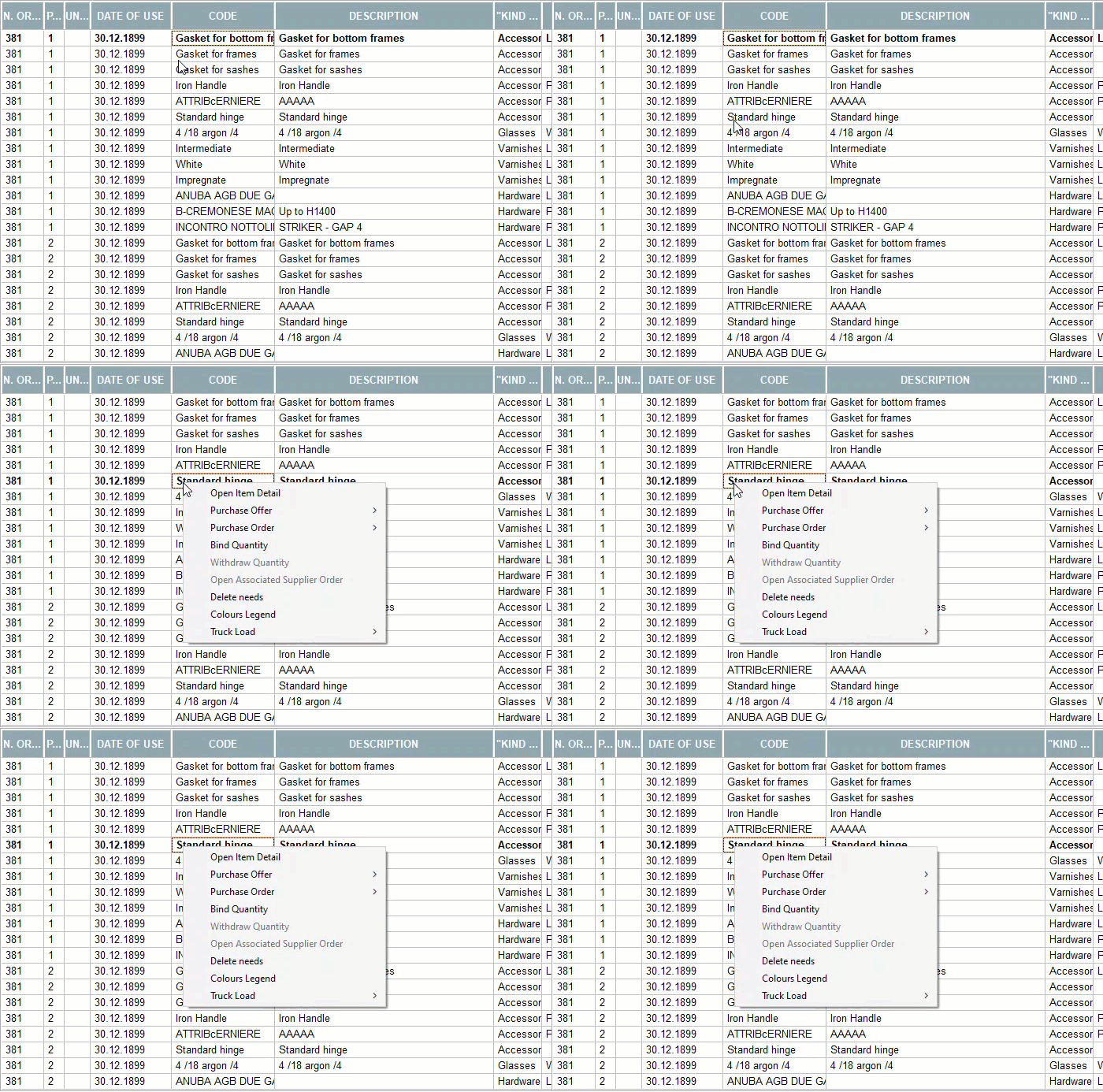
Additional options - available after rightclicking on particular listed Need.
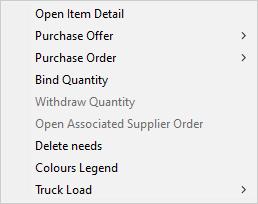


1. Open Item Detail - takes User directly to the main store window "Show Items List", allowing User to check/modify settings assigned to a particular item
2. Purchase Offer - check "Selected Needs Handling"
3. Purchase Order - check "Selected Needs Handling"
4. Bind Quantity - check "Selected Needs Handling"
5. Withdraw Quantity (Manual WIthdraw) - check "Selected Needs Handling"
6. Open Associated Supplier Order - Open exisitng, already created Purchase Order in which selected material was ordered
7. Delete Needs - allows user to manually delete needs from the list of the needs generated for selected order
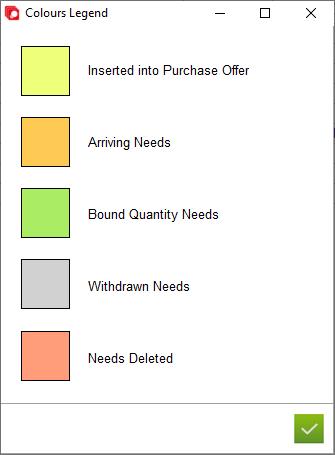
8. Colours Legend - is a legend of the colour coding system used for visual describing Needs depending on their status in the supplying process. You can see how it looks below.
9. Truck Load - Possibility to indicate for each item whether it must be loaded separately on the truck (and therefore checked separately) or not.
2. Purchase Offer - check "Selected Needs Handling"
3. Purchase Order - check "Selected Needs Handling"
4. Bind Quantity - check "Selected Needs Handling"
5. Withdraw Quantity (Manual WIthdraw) - check "Selected Needs Handling"
6. Open Associated Supplier Order - Open exisitng, already created Purchase Order in which selected material was ordered
7. Delete Needs - allows user to manually delete needs from the list of the needs generated for selected order
8. Colours Legend - is a legend of the colour coding system used for visual describing Needs depending on their status in the supplying process. You can see how it looks below.
9. Truck Load - Possibility to indicate for each item whether it must be loaded separately on the truck (and therefore checked separately) or not.