


1. Profile on frame side - Show which colors is on frame side
2. Profile on glass side - Show which colors is on glass side
3. Work name - Show the name of working added on ends profile
2. Profile on glass side - Show which colors is on glass side
3. Work name - Show the name of working added on ends profile
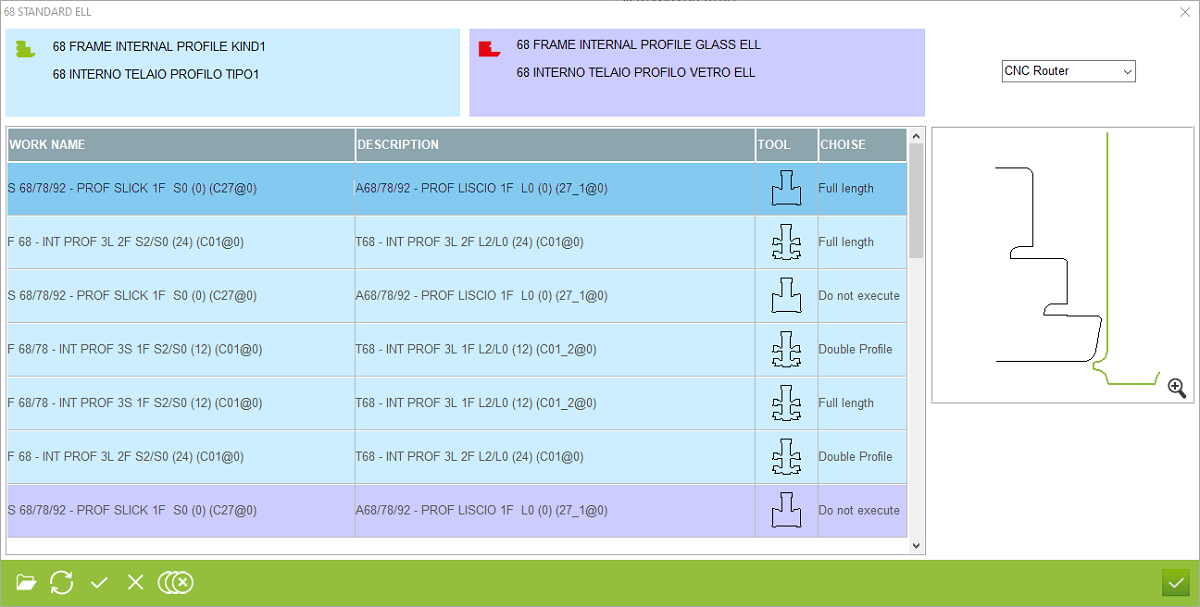
4. Description - Show the description of working added on long profile side
5. Choice - This is a place in program where user must choose which working must be used on profile for full lenght, double profile or musn't used on profile (do not execute)
6. Open profile logic - This is a place in program where user can check the profile logic
5. Choice - This is a place in program where user must choose which working must be used on profile for full lenght, double profile or musn't used on profile (do not execute)
6. Open profile logic - This is a place in program where user can check the profile logic
This is the place in the program where the user can set the tool using for change profile in long side. The workings was from profile logics and if workings must be using on change profiling on profile logics that working must be turn off. In this case workings using on change profile was loaded from this page of program


