

1. Name of configuration
2. Description of configuration
3. Definition of elements - A place to set thickness and section for construction elements
4. Junctions - A place to choose type of junction for elements
5. Applied transom - A place to set thickness and section for applied transom elements
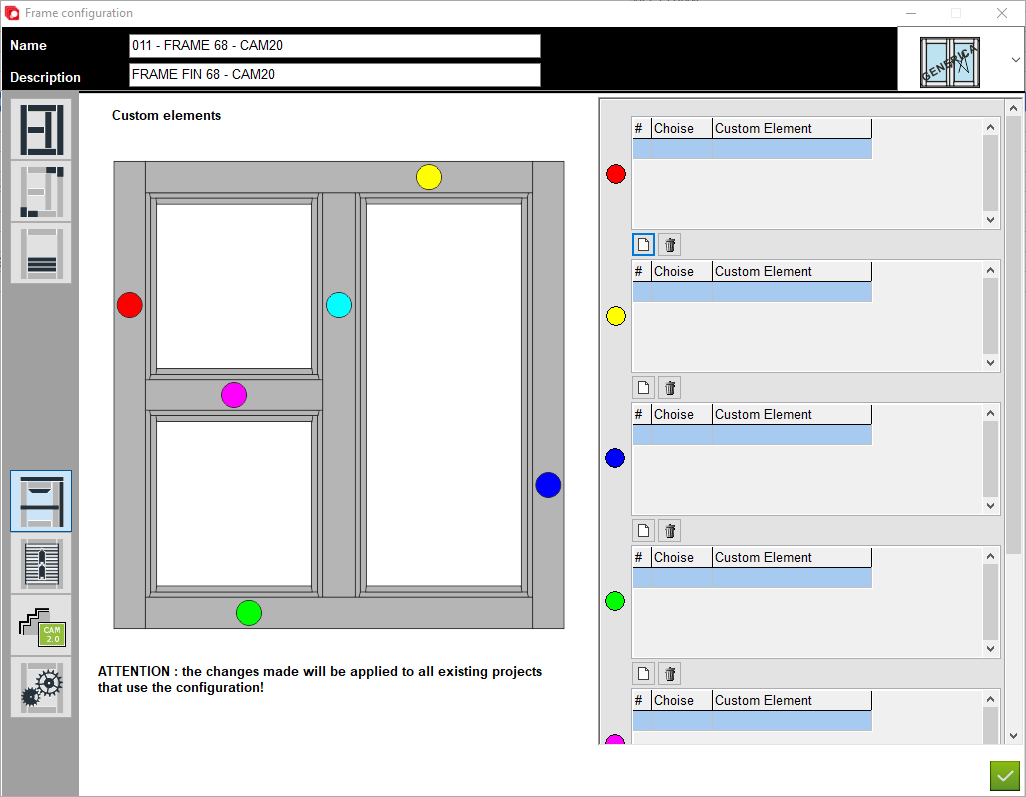
6. Custom elements - A place to add custom elements to the construction
2. Description of configuration
3. Definition of elements - A place to set thickness and section for construction elements
4. Junctions - A place to choose type of junction for elements
5. Applied transom - A place to set thickness and section for applied transom elements
6. Custom elements - A place to add custom elements to the construction
7. Matchboard - configuration of matchboard
8. Configuration profile aplication - A place to set profile aplication for that configuration
9. Options - A place to set other option for that configuration
10. Type of window - A place to set the type of window (for example: normal, sliding sash or HS portal)
11. Custom elements - A place to select custom elements for different sides of a structure, defined by colour for each side
8. Configuration profile aplication - A place to set profile aplication for that configuration
9. Options - A place to set other option for that configuration
10. Type of window - A place to set the type of window (for example: normal, sliding sash or HS portal)
11. Custom elements - A place to select custom elements for different sides of a structure, defined by colour for each side


This is the place in the program where the user can assign custom elements to individual structure elements