


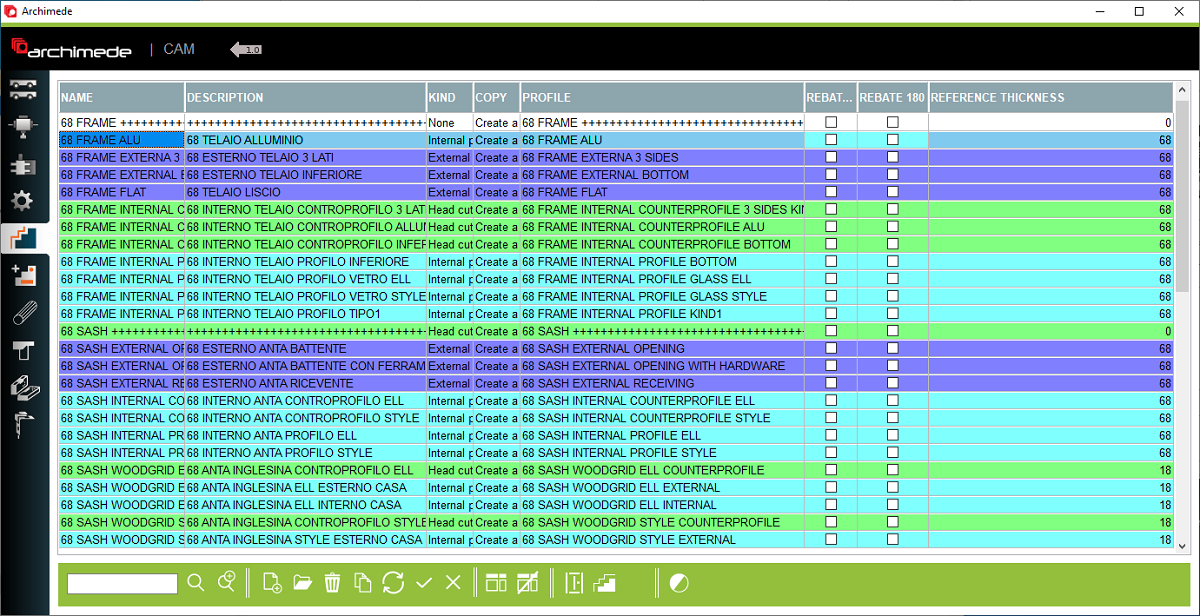


1. Name and Description of profile - Name and description of the profile that was created in the profile configuration
2. Kind - You can choose the kind of profile, which will change the color to make it clearer
3. Profile - name of profile
4. Rebate 90 - Rotate the profile 90 degrees
5. Rebate 180 - Rotate the profile 180 degrees
6. Reference thickness - Place to entering the reference thickness of profile
7. Profile families - Open the profile families window
8. Profile - Open the profile window
9. Change logic visibility - Change so that profile logic is not visible or visable
10. Open logic profile - Opens the windows of the selected logic profile
2. Kind - You can choose the kind of profile, which will change the color to make it clearer
3. Profile - name of profile
4. Rebate 90 - Rotate the profile 90 degrees
5. Rebate 180 - Rotate the profile 180 degrees
6. Reference thickness - Place to entering the reference thickness of profile
7. Profile families - Open the profile families window
8. Profile - Open the profile window
9. Change logic visibility - Change so that profile logic is not visible or visable
10. Open logic profile - Opens the windows of the selected logic profile
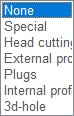
This is the place in the program where the user can select the profile logic to assign working to the profile in the next step


