




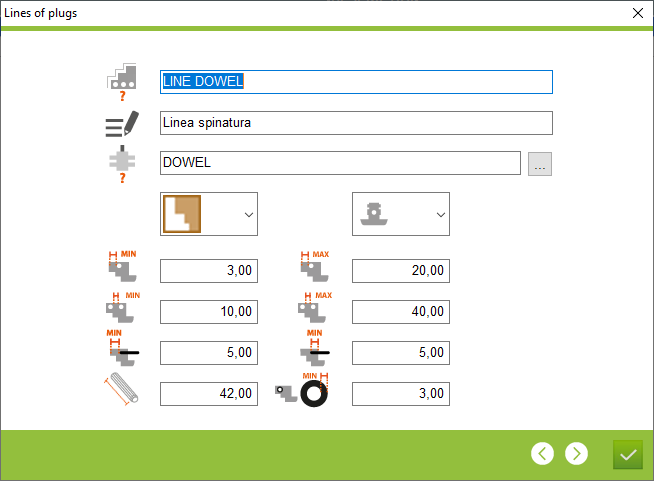
1. Name of dowel line
2. Description of dowel line
3. The place to choose the configuration of aggregate from point 1
4. Selection of the connection for which the pin line is to be used. There are two possibilities for counter-profile and closed tenons
5. Positioning selection site in relation to the profile. Three options from centre left and right
2. Description of dowel line
3. The place to choose the configuration of aggregate from point 1
4. Selection of the connection for which the pin line is to be used. There are two possibilities for counter-profile and closed tenons
5. Positioning selection site in relation to the profile. Three options from centre left and right


6. Minimum and maximum distance from the profile
7. Minimum and maximum distance between dowels
8. Minimum distance in depth from the profile and minimum depth of the dowel
9. Lenght of the dowels
10. Minimum distance from the profile around the edge of the dowel
7. Minimum and maximum distance between dowels
8. Minimum distance in depth from the profile and minimum depth of the dowel
9. Lenght of the dowels
10. Minimum distance from the profile around the edge of the dowel
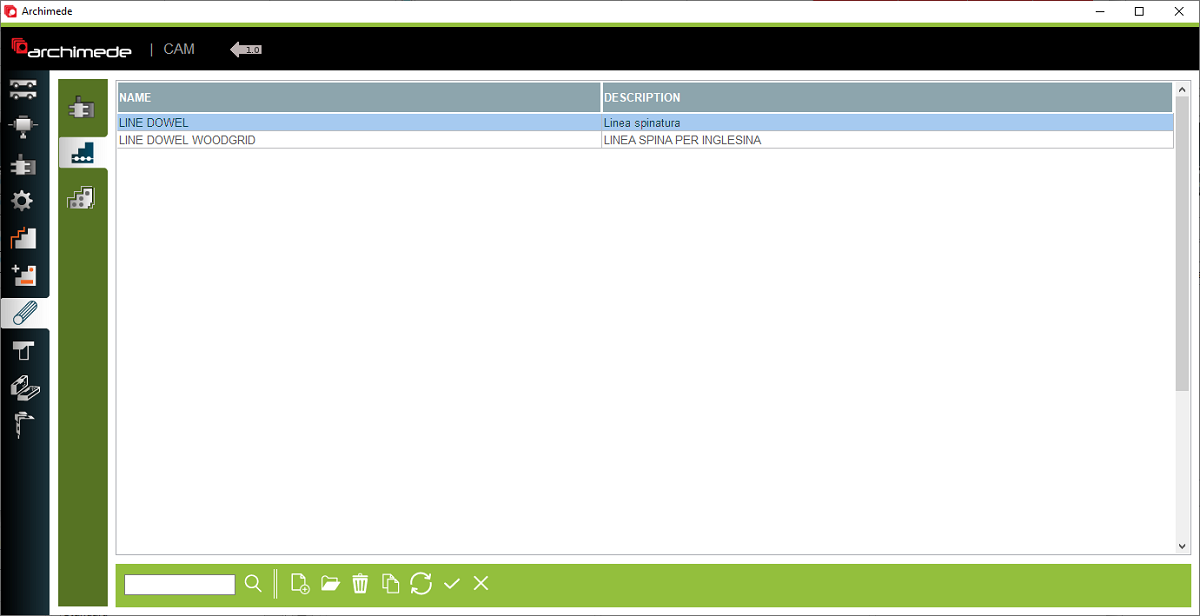
1. Tools aggregate model
2. Lines of plugs
3. Plugs from profiles
4. Basic program operation buttons
5. Open - Double click to open the dowel line configuration
This is the place in the program where it is defined where the dowels are positioned, in relation to the external edge of the profiles, so that the program places the dowels automatically


